Buy/Sell Coins or Tokens
You can buy and sell supported cryptocurrencies in both fiat-crypto and crypto-crypto trading pairs on our platform. You can also use our wallet services to securely store your crypto, and convert it to fiat currency whenever needed.
Crypto-INR Trading
To place a Buy/Sell order in a Crypto-INR pair:
Select the desired cryptocurrency from the list of supported coins on the Exchange screen.
Swipe up to view the available trading pairs for the selected token.
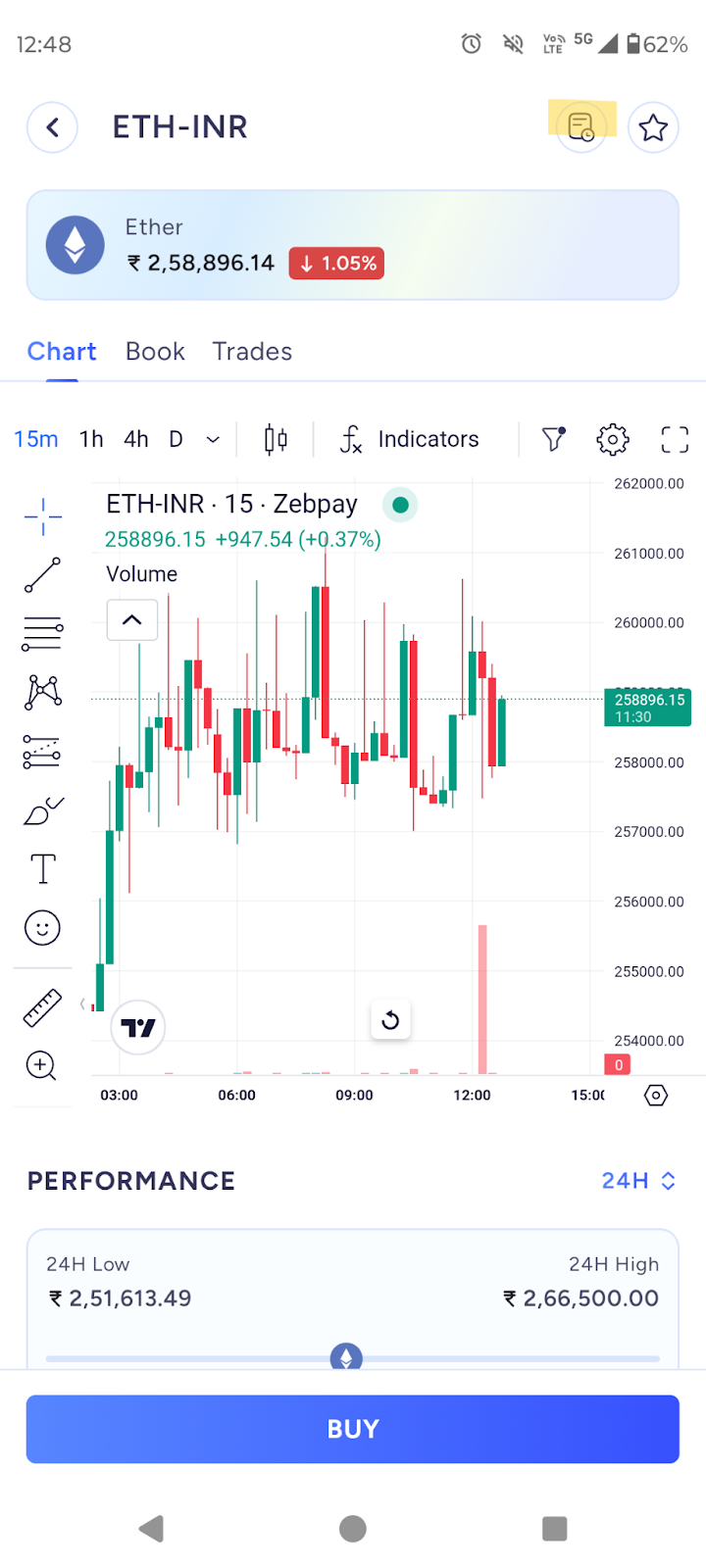
Choose the pair with INR (for example: ETH-INR).
Select the order type you want to use (Limit or Stop Limit).
For demonstration purposes, we will use the Limit Order.
Choose Buy or Sell:
If you do not currently hold the selected token in your portfolio, only the Buy option will be available.
If you already hold the token, both Buy and Sell options will be visible.
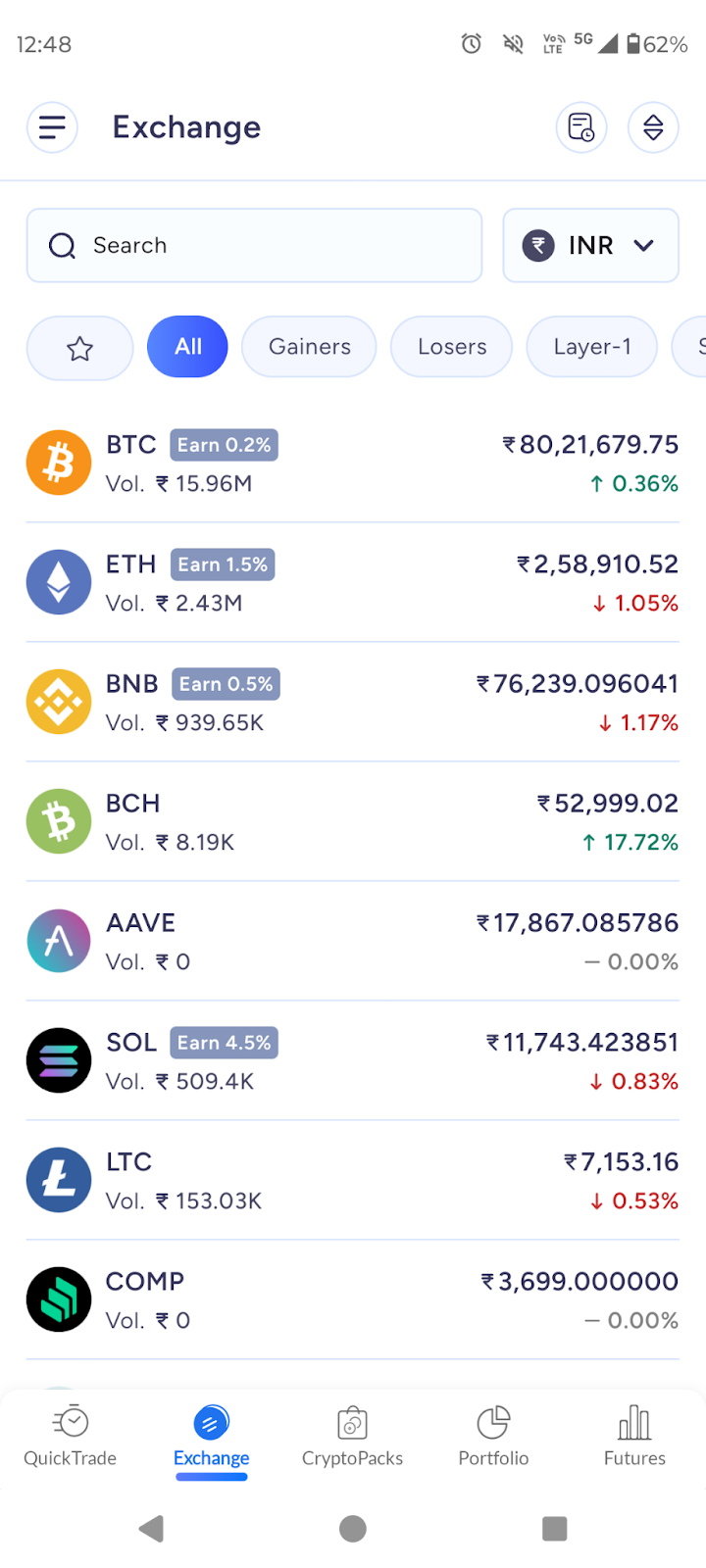
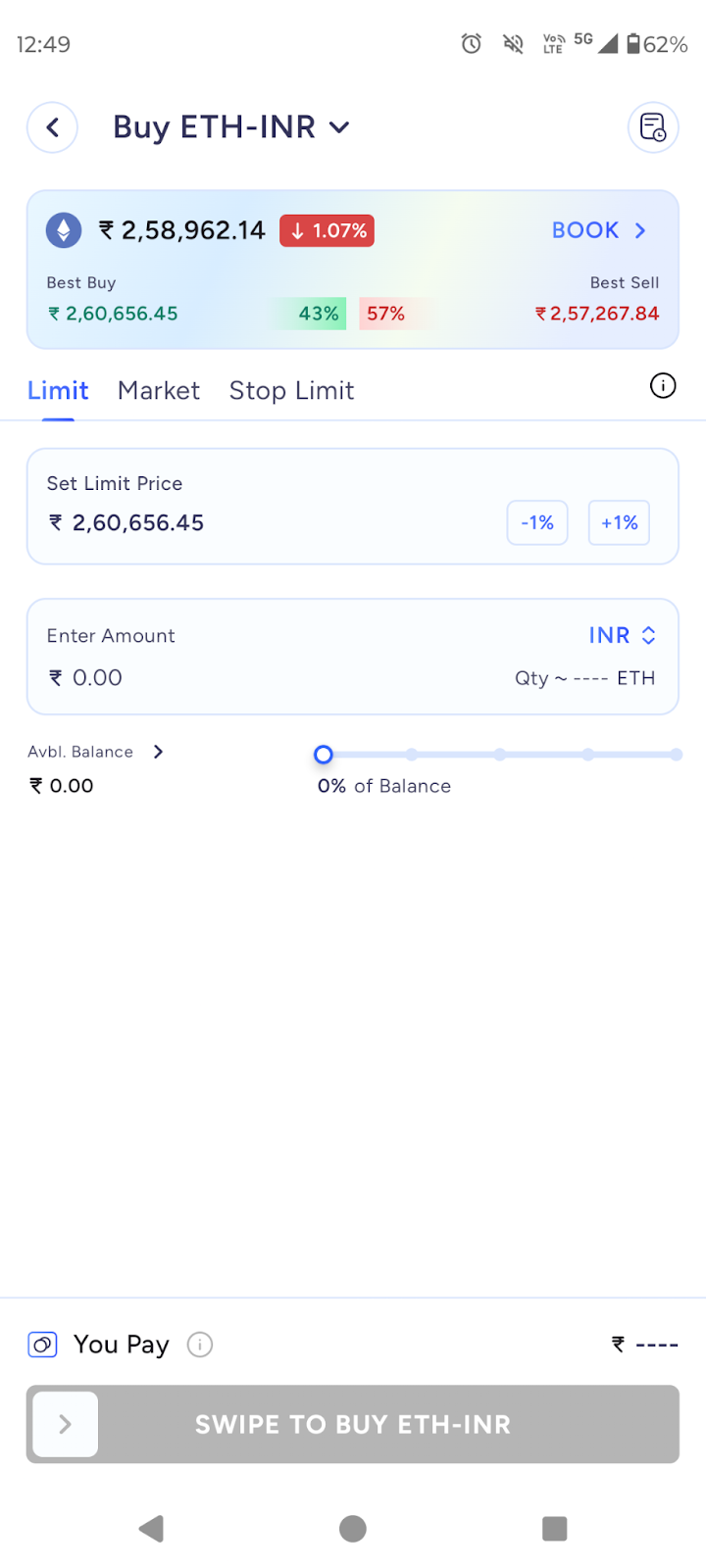
You can enter your trade amount either in INR or in crypto. To switch between INR and the crypto unit, click on the INR/ETH toggle on the right side of the amount field.
Enter the price at which you want to place the order.
Click Buy (or Sell) and confirm the trade.
Once submitted, your order will appear in the Order Book.
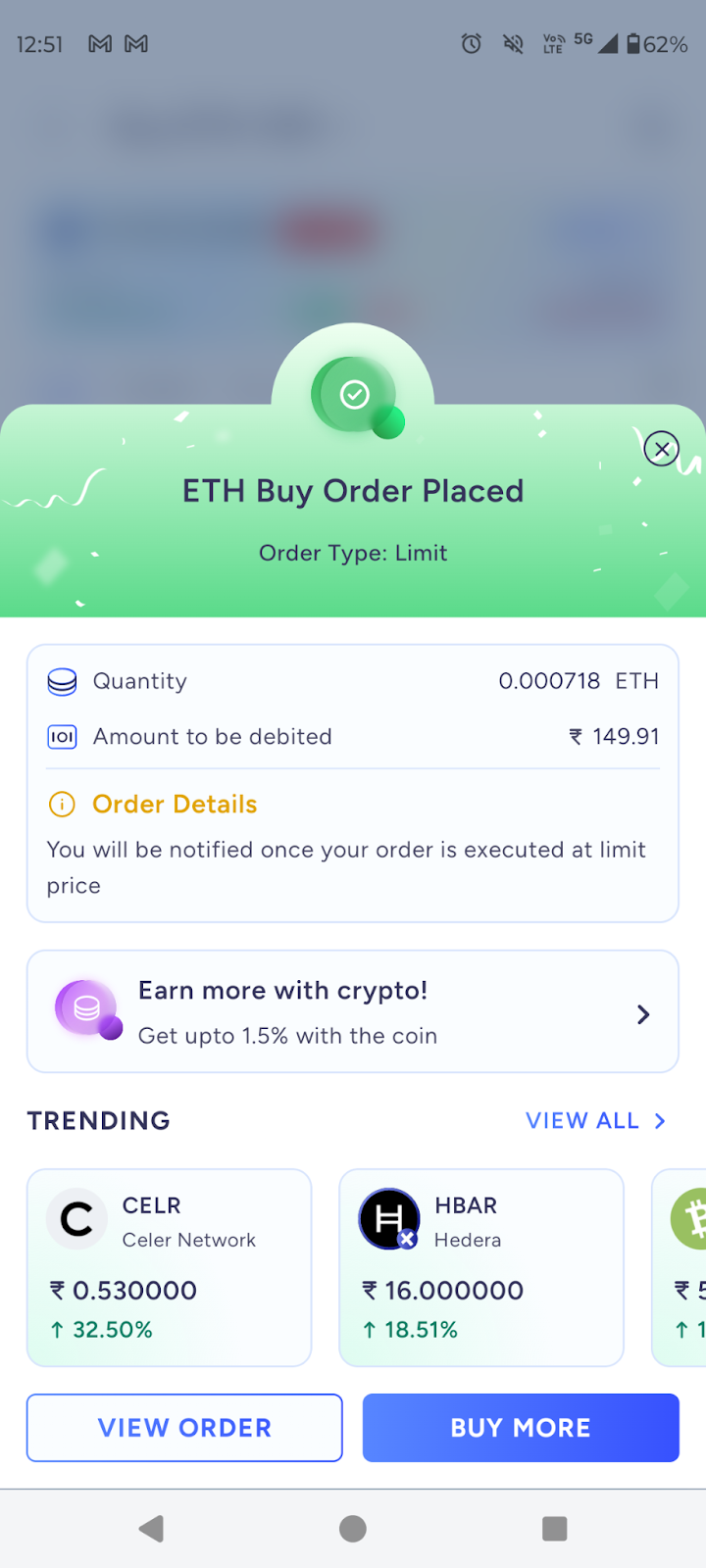
If the order is still pending, it will appear under Open Orders.
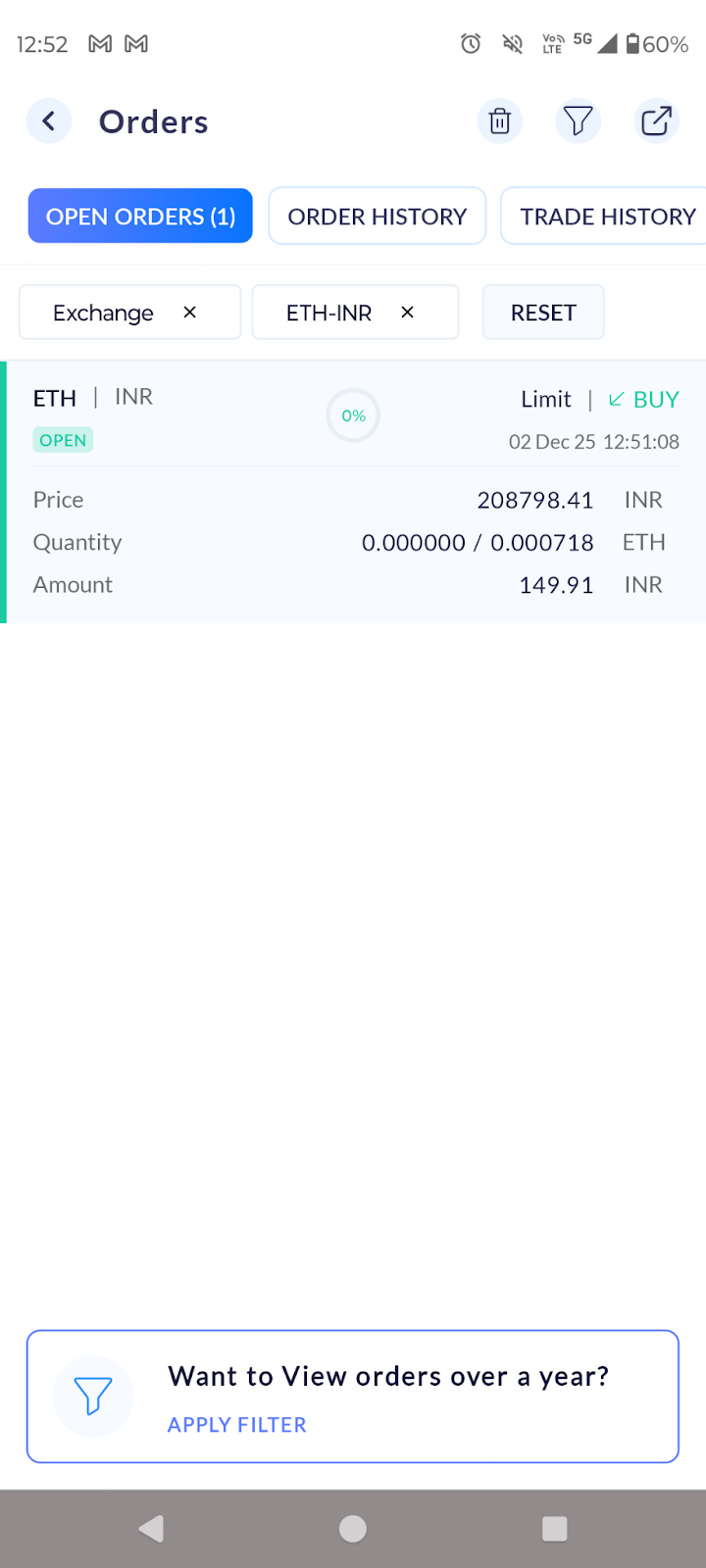
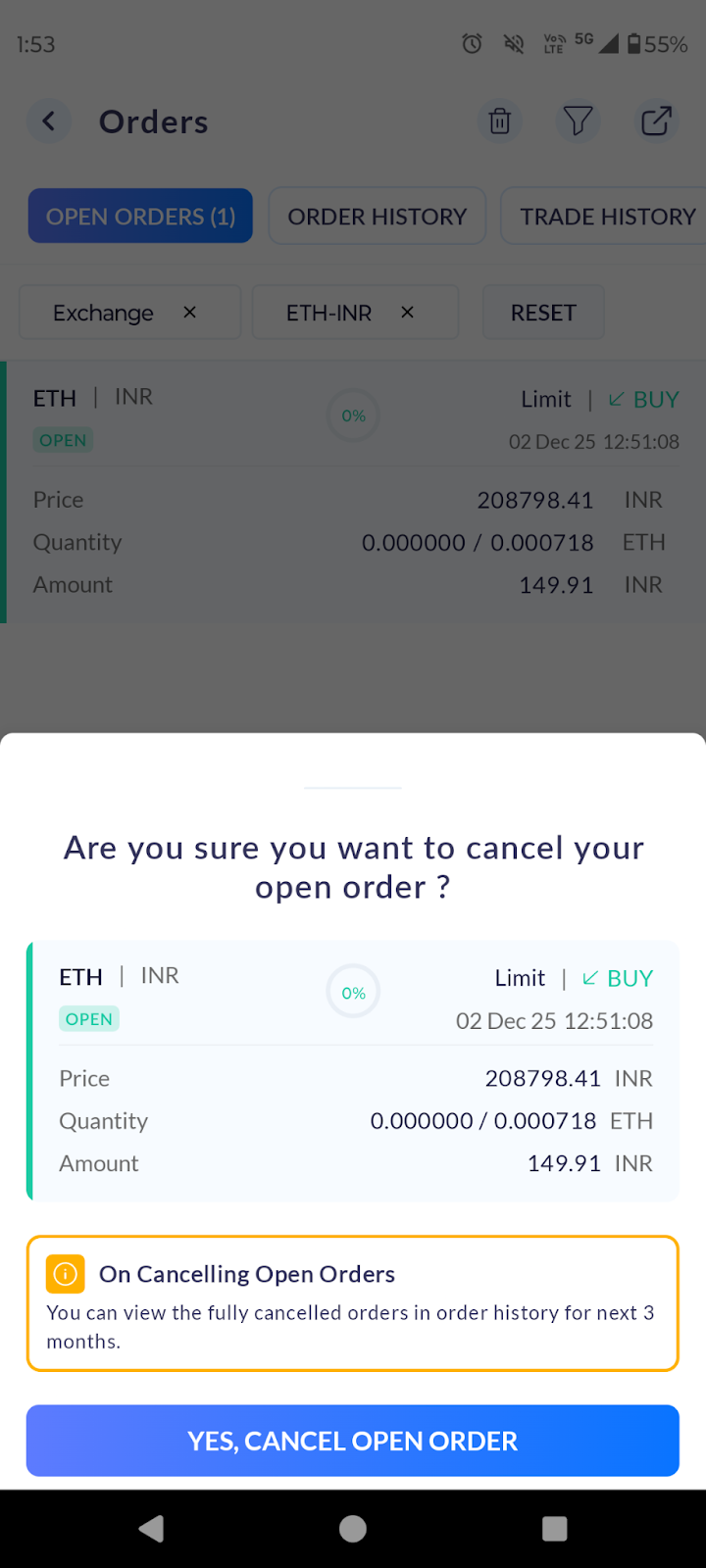
You can cancel any pending order at any time before it is executed.
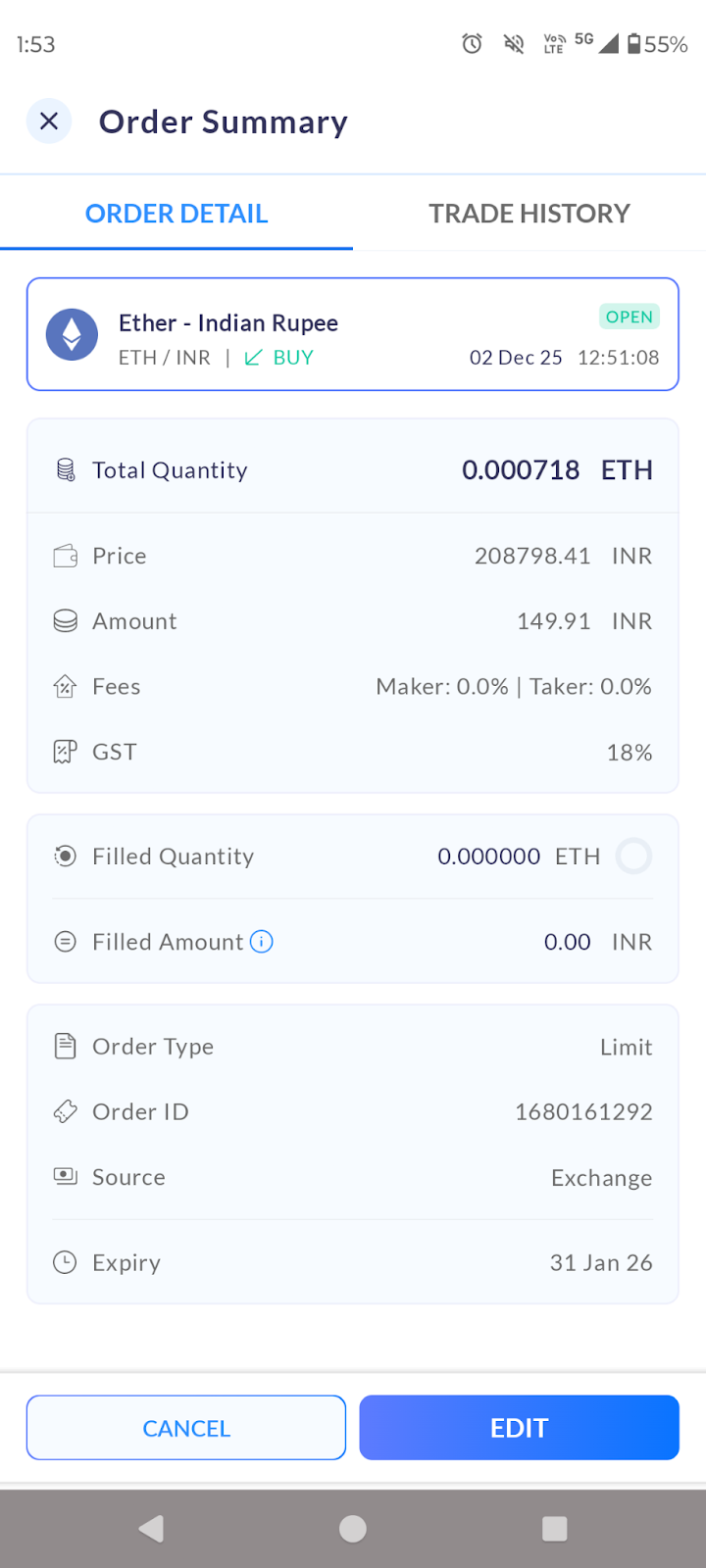
Once the order gets executed it will be visible in order history as filled orders.
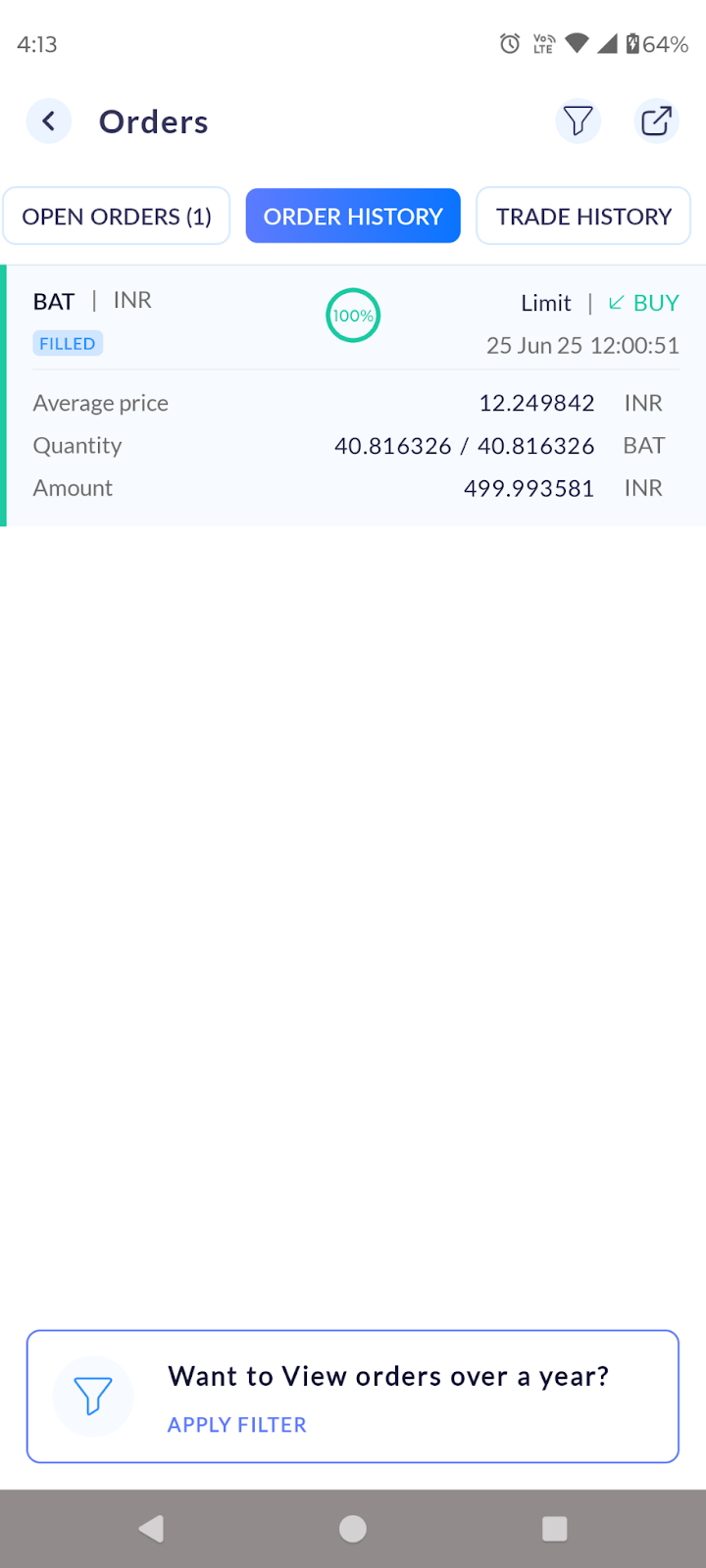
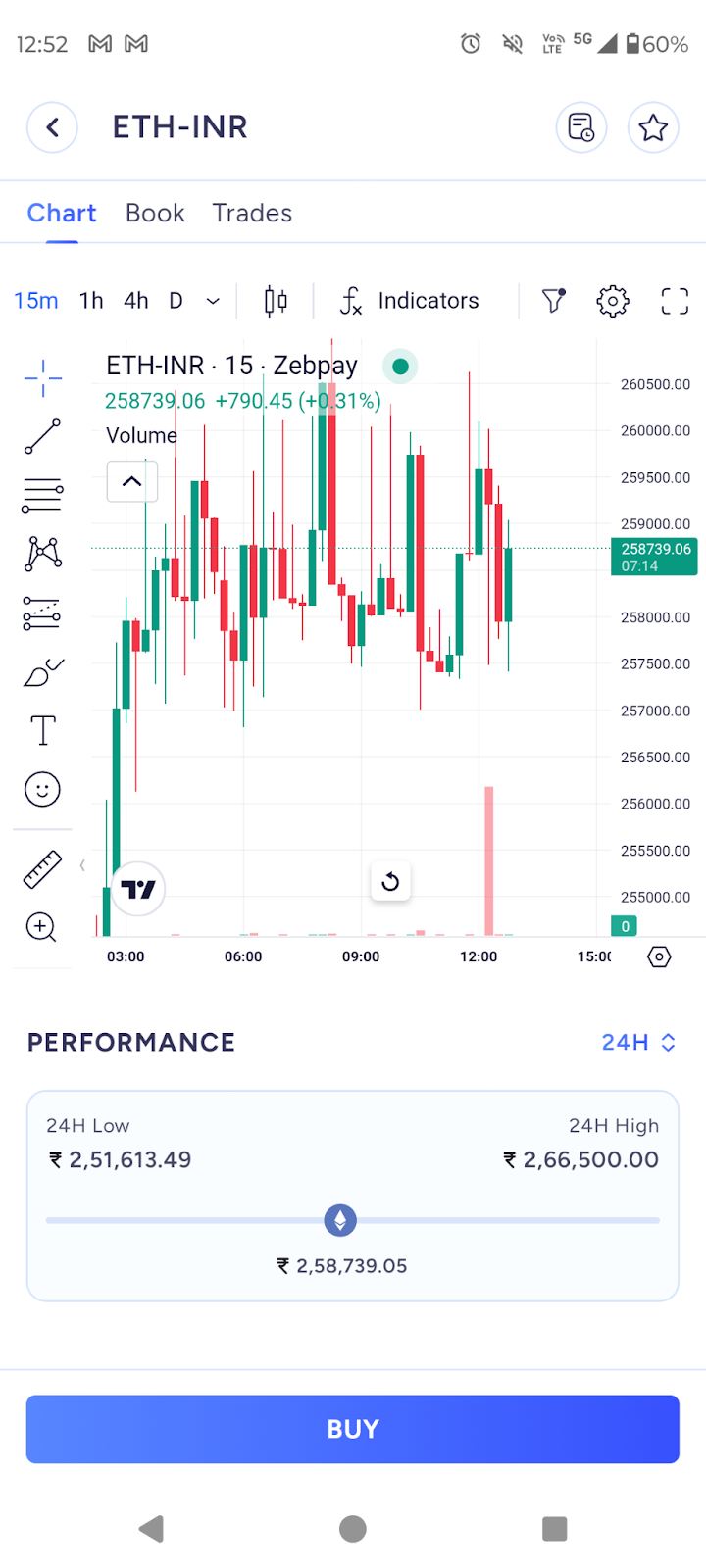
You can view the Order Book, Trades, and Charts for the selected coin pair under the Book tab at the bottom of the screen.
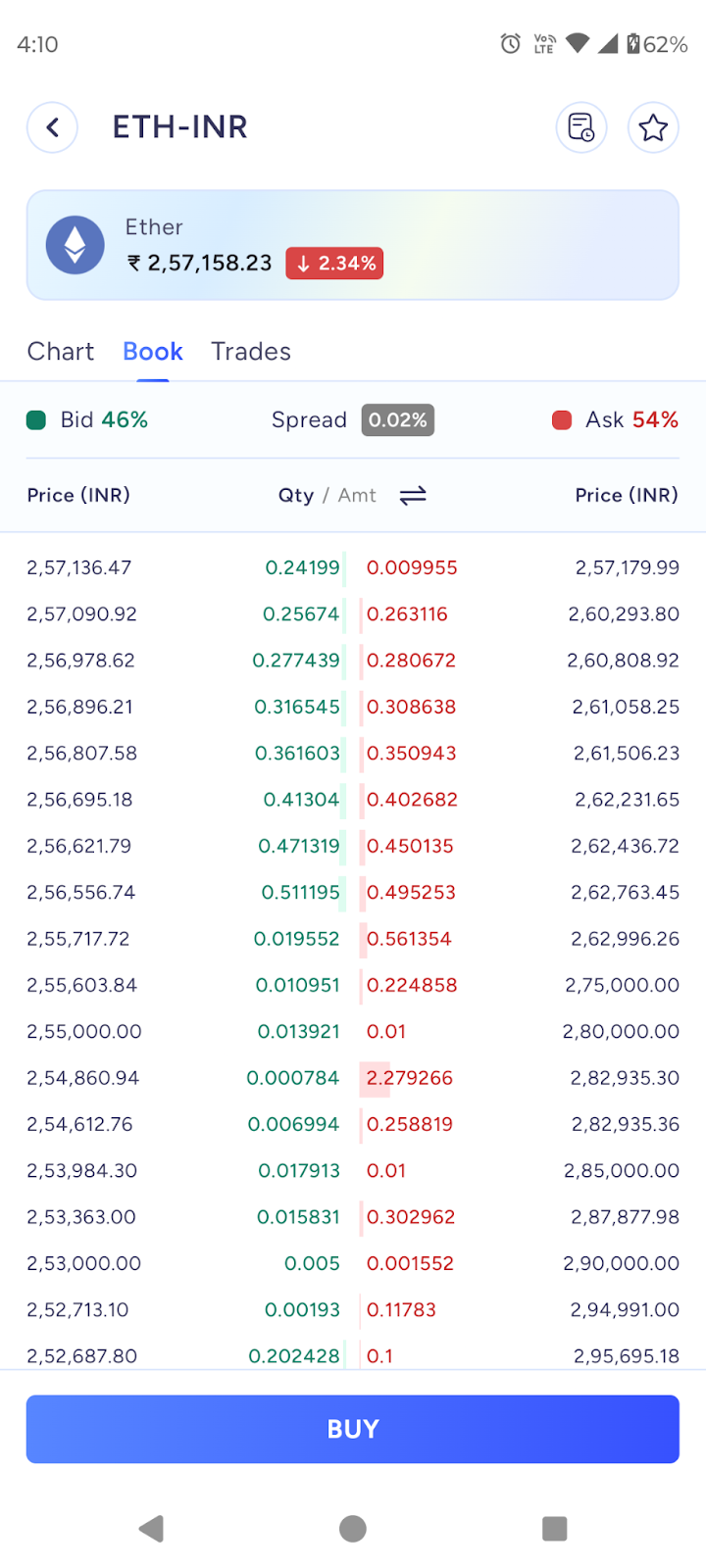
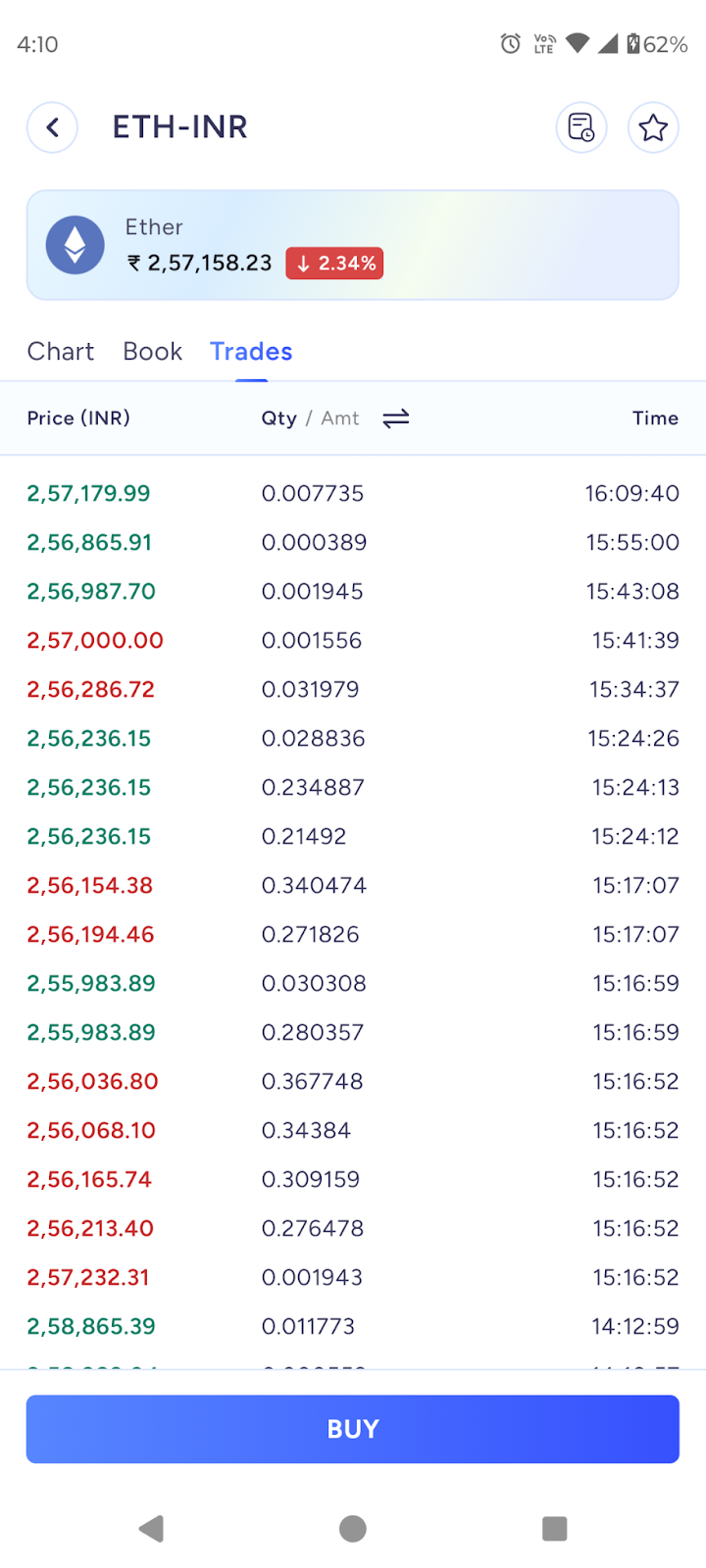
You can view the history of the transactions for the selected coin pair in the History tab below.
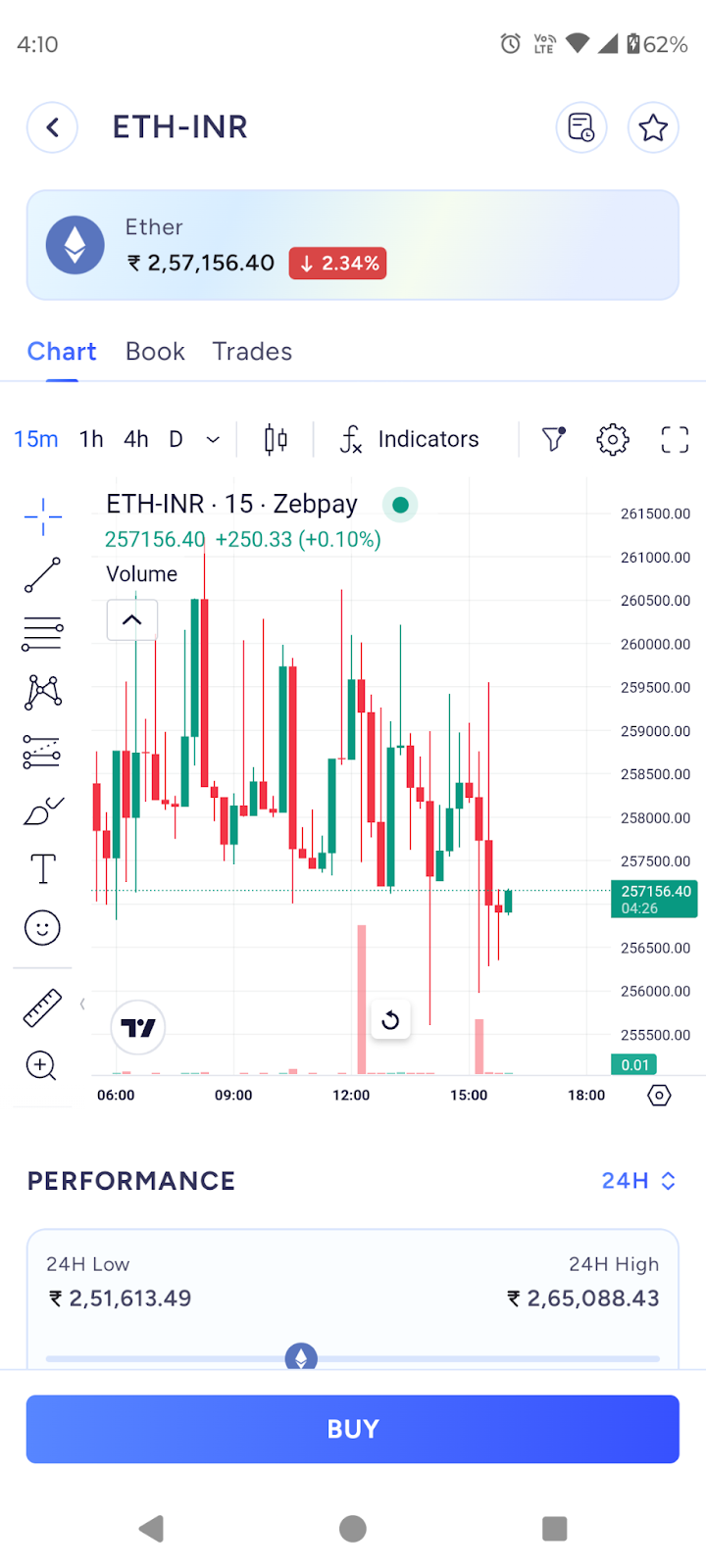
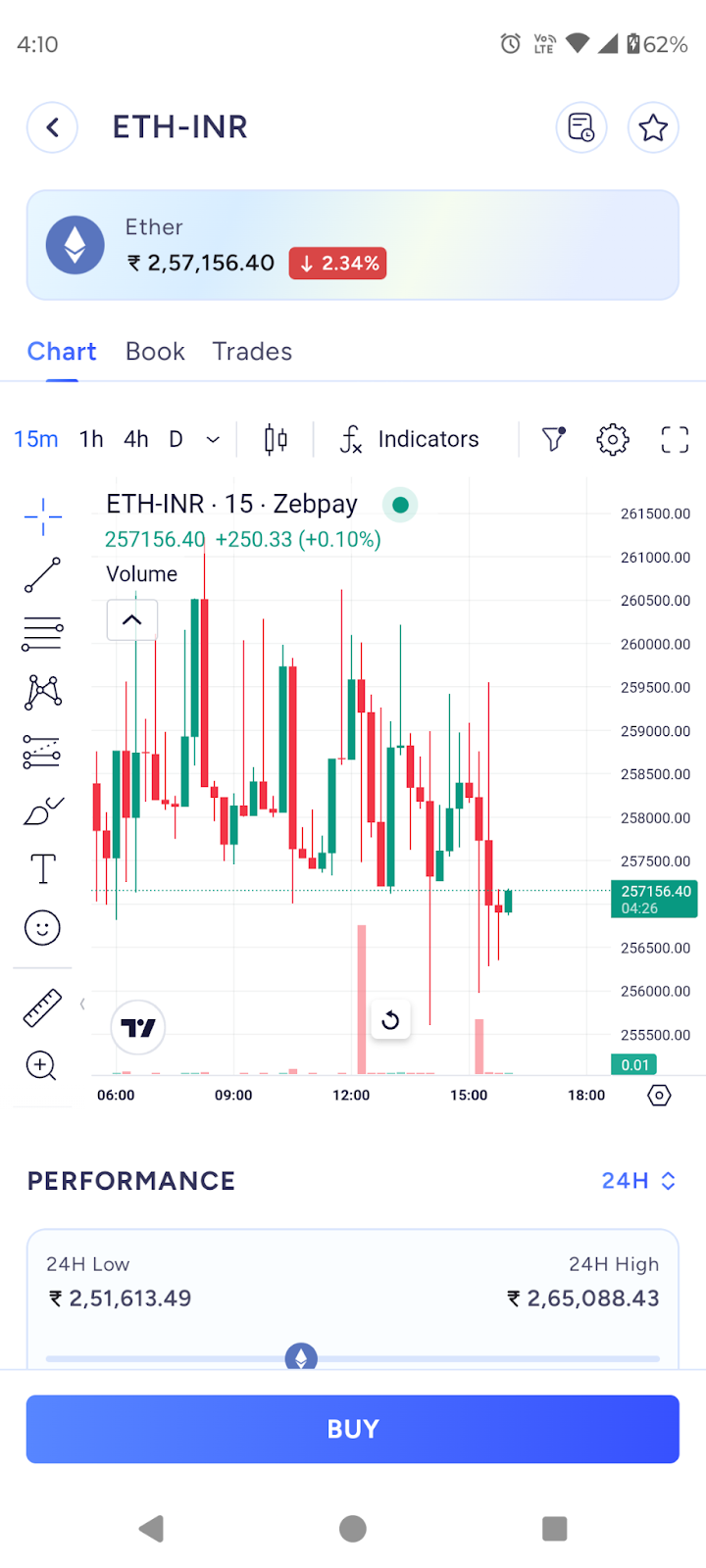
You can view the price chart for the selected coin pair under the Chart tab as shown in the screen shot below:
Please Note
ZebPay supports an order life cycle of 60 days. Your Buy/Sell order will remain in the Order Book for up to 60 days from the time it was placed.
If the order is not fully executed within this period, or if you manually cancel it before completion, the order will be auto-cancelled on the 60th day at 00:00 UTC (05:30 AM IST).
Any partially executed order that crosses the 60-day validity period will also be auto-cancelled, and the remaining INR or crypto, depending on the type of order, will be credited back to your wallet after cancellation.
Crypto-Crypto Trading
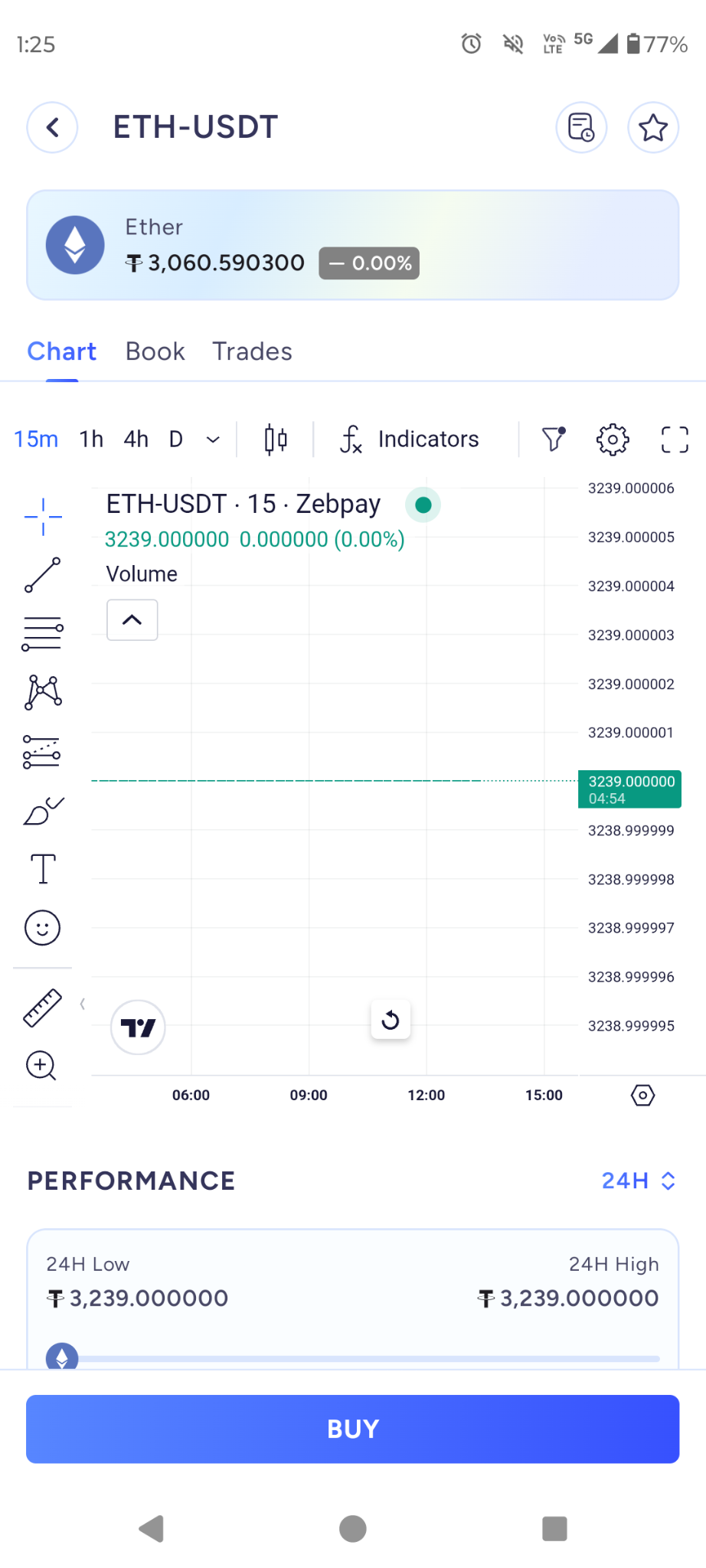
To place a Crypto-Crypto Buy/Sell order please change your quote currency to USDT to see various USDT pairs.
Crypto-Crypto Trading (Example: ETH-USDT)
Select the desired cryptocurrency from the list of supported coins in the Exchange tab.
Swipe upwards to view the available trading pairs.
Choose your base pair for the trade from the options at the top of the screen.
For demonstration purposes, we have selected ETH-USDT:
Buying ETH means you are selling USDT to acquire ETH.
Selling ETH means you are buying USDT using ETH.
This rule applies to all crypto-crypto trading pairs.
Select the type of order you want to place (Limit / Stop Limit).
Tap Buy or Sell:
If you do not hold the selected token in your portfolio, only the Buy button will be available.
If you hold the token, you will see both Buy and Sell options.
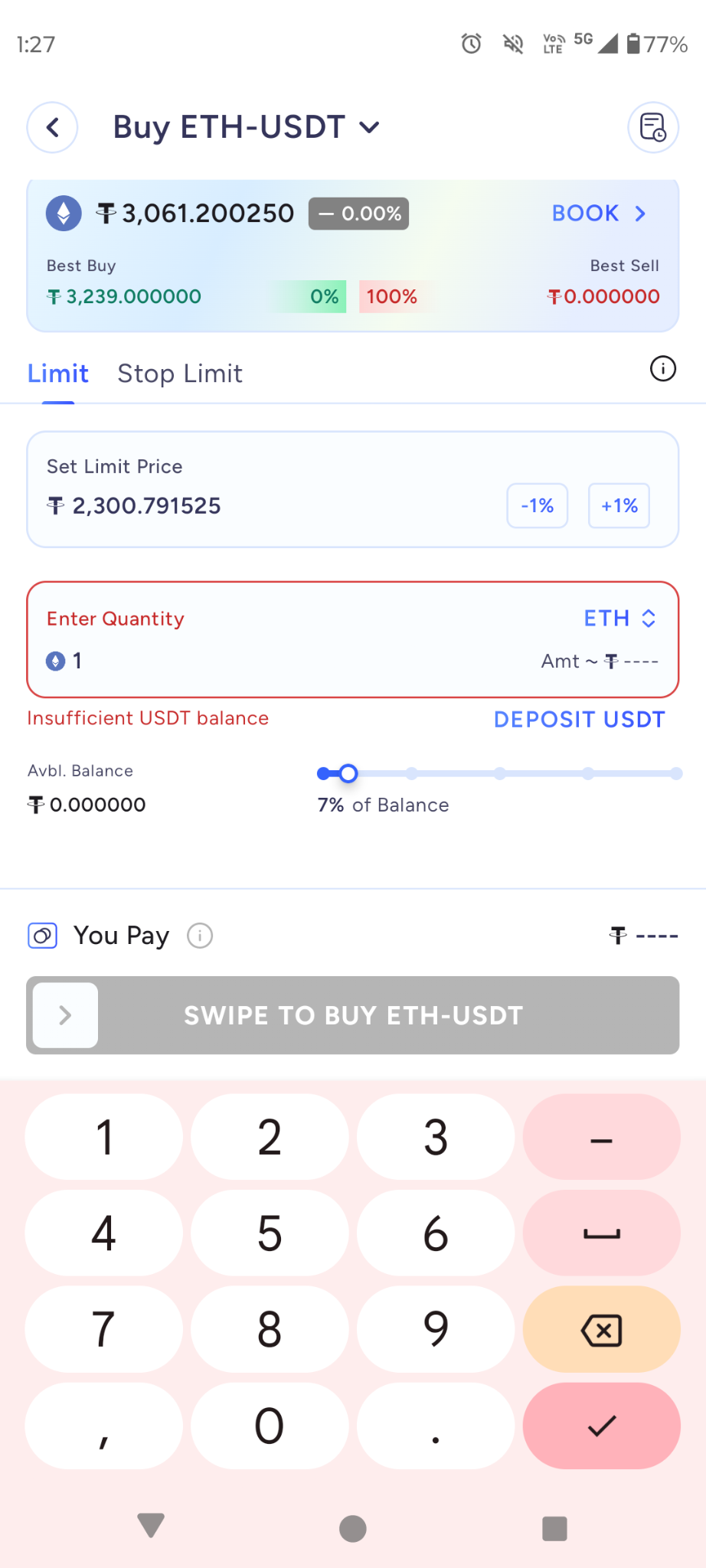
Enter the quantity of the token you want to Buy or Sell.
You can tap the USDT/ETH toggle on the right side to switch between units.
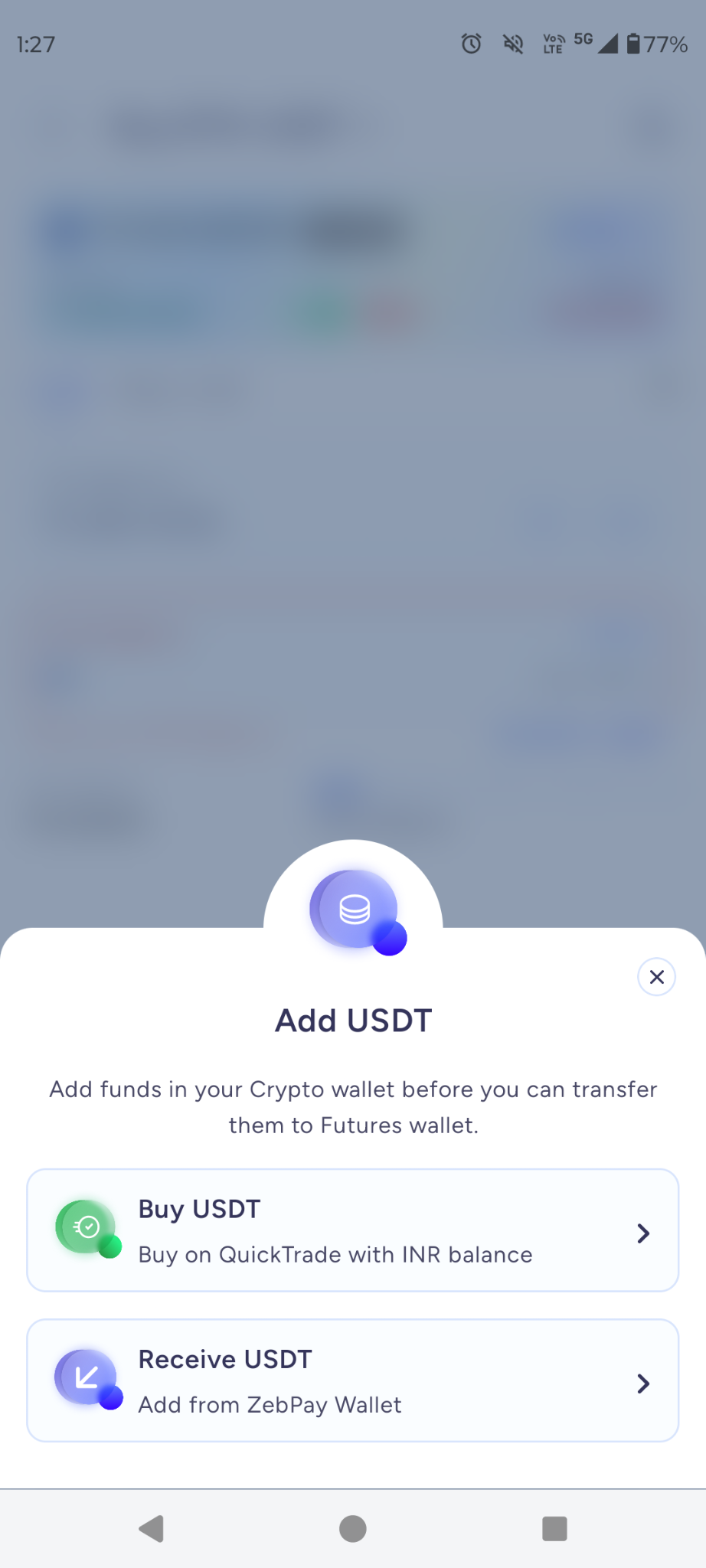
If you do not have enough USDT, the app will show an option to Buy USDT.
Swipe to place your order and confirm the trade.
Once submitted, your order will appear in the Order Book.
Buy Max / Sell Max in INR or Crypto
Buy Max and Sell Max are quick options that allow you to trade using the entire available balance in your wallet — either in crypto or fiat (INR), depending on the selected mode.
Example:
In the screenshot below, 49% of the available INR balance (₹350.09) has been selected for the trade.
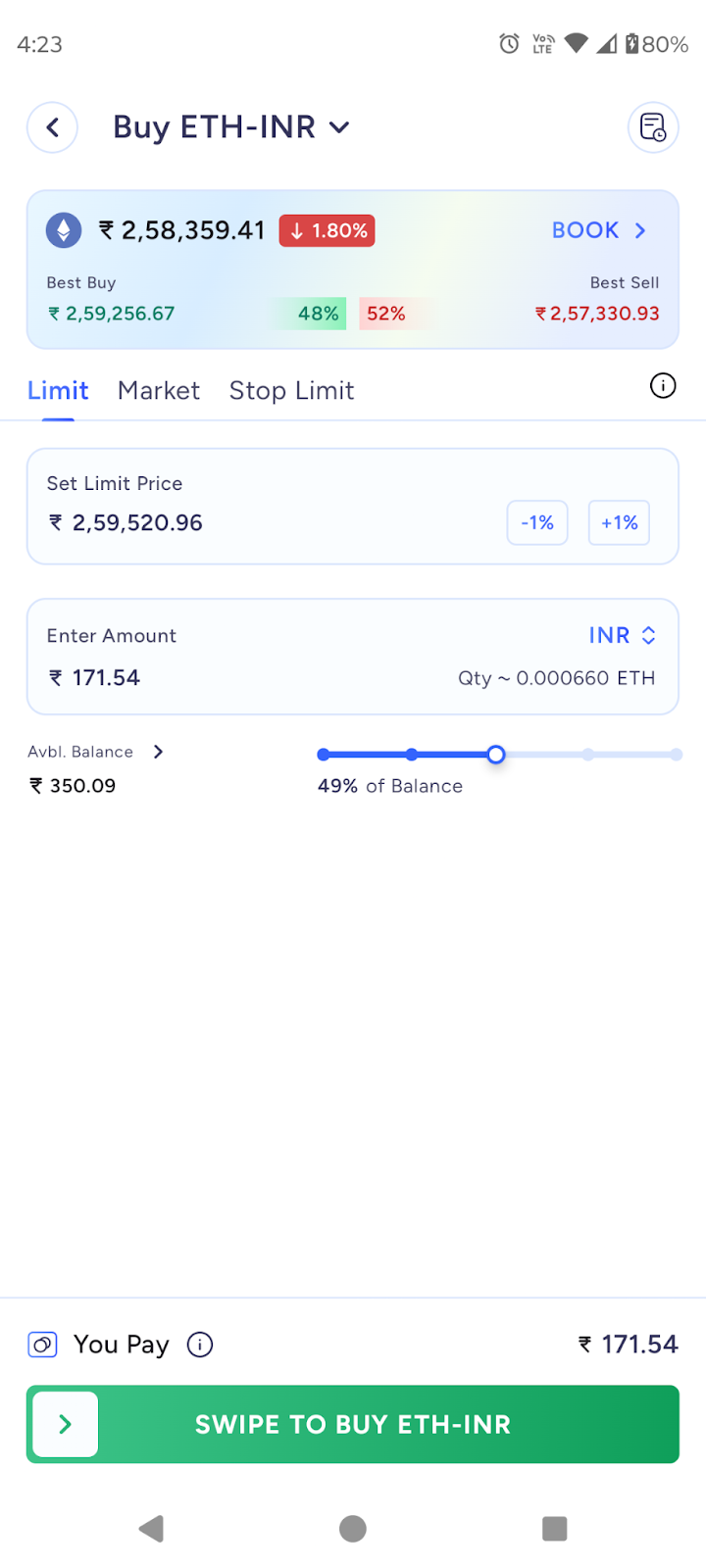
Using this option is recommended when you want to utilize your entire available balance for a Buy/Sell order, as it ensures that no dust balance remains in your wallet.
The amount displayed on the screen after selecting Buy Max / Sell Max will be the final INR or crypto amount after deducting the applicable trading fee for that order.
Was this article helpful?
That’s Great!
Thank you for your feedback
Sorry! We couldn't be helpful
Thank you for your feedback
Feedback sent
We appreciate your effort and will try to fix the article